








UpgradeDrive.zip
188.37 KB

Aircraft Transmitters-AT Series
Aircraft Transmitters -T Series
Surface Transmitters
ELRS Long-range Module
Wireless Trainer System
NEW
NEW
FC for Fixed Wing
GPS
RTK Kit
12C Boards
Ultrasonic Sensor
Digital Video
Transmission Adapter Board
Flight Controller(Mission Planner)
NEW
 简体中文
简体中文 English
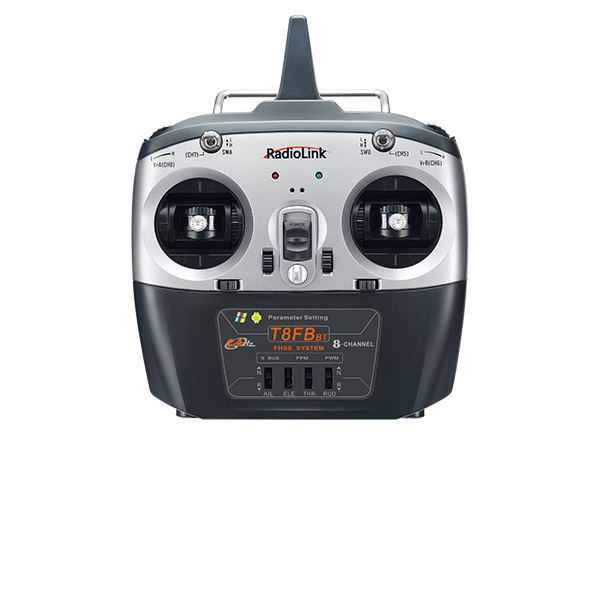
T8FB(BT) Upgrade Tools and Firmware
(Please upgrade by Windows 7,8,10,11 or XP computer, cannot upgrade by Apple MAC computer)
Attention: If you can not download the files when clicking above or the hex file below, please click the website below to download the files you need.
http://www.radiolink.com.cn/firmware/transmitter/T8FB(BT)/
1. Download the T8FB(BT) Upgrade Tools
STEP1. Download and install the upgrade driver
Note:
Please install the driver when using the computer parameter set APP for the first time.For the T8FB/T8S upgrade driver installation tutorial, please click the article below to view it.
If the computer is Windows 7, 8, or XP system: https://www.radiolink.com.cn/driver_for_T8FB/T8S_firmware_upgrade_tool_installation
If the computer is Windows 10 or 11 system: https://www.radiolink.com.cn/T8FB_and_T8S_parameter_setup_software_driver_installation_for_WIN10
WinZip(design by 360, free)
If you do not have the WinZip Tools to decompress upgrade files, please click to download and install the free WinZip Tool designed by 360.
STEP2. Download and install the upgrade tools
click to download the upgrade tool, only support upgrade by computer with XP,WIN7,8,10,11
2. Upgrade Firmware
The firmware version can be checked on the parameter setup APP(SYSTEM menu) on mobile or computer(PARAMETER at the bottom right). If the wrong firmware is accidentally flashed and the system of T8S(BT) crashes, please remove the cover disconnect the battery and connect again. Then upgrade the firmware downloaded below.
(1) The latest firmware
Click to download the latest upgrade firmware:
Attention:
① Improved: Add joystick dead zone; after upgrading, joysticks must be recalibrated; reboot after calibration is completed.
② Compatible with the parameters set up APP versions of Android mobile phone APP V10.0(or above), Apple mobile phone APP V4.2.2(or above), or computer APP V6.0.1(or above).
V571 Upgrade Details:
1. Improvement: Compatibility with older versions of the tuning app.
2. Improvement: Fixed an issue where the “Fine-Tune Settings” data failed to initialize, causing the mobile app to crash and the T8FB to lose functionality.
3. Improvement: Fixed an issue where all new feature data for the V560 failed to initialize, resulting in missing data for new features after upgrading to V560.
4. Reminder: After upgrading to firmware V562, all new feature data for the V560 will be restored to factory defaults; other data will remain unchanged.
5. Reminder: After upgrading to firmware V562, the first startup will pause for two seconds to complete the new feature data reset.
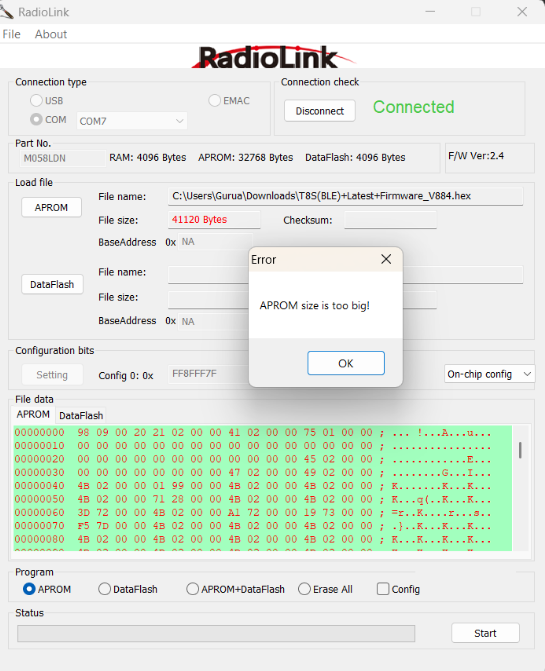
Note: If during firmware flashing, you encounter the error "APROM size is too big!" (as shown in the figure below), it means the T8FB can only flash firmware versions V830 and earlier.
T8FB Firmware Versions and Corresponding App Versions | |||
Firmware Version | PC App Version | Android App Version | iOS App Version |
V530 and earlier | V4.2-V5.1 | V7.0-V9.4.4 | V4.2.0- V4.2.2 |
V563 and later | V6.0.2-V11.1 | V10.0-V11.5 | V10.0 - V11.2.1 |
Note: T8FB helicopter firmware starts from version V563. | |||
Firmware download addresses for different versions:
https://www.radiolink.com.cn/firmware/transmitter/T8FB(BT)/
Android and PC setup APP download addresses for different versions:
https://www.radiolink.com.cn/firmware/apk/
(3) Firmware for Disable Fine-tuning
(2) Factory Default Firmware
Click to download the factory default upgrade firmware:
3. How to upgrade firmware
 简体中文English